Frequently Asked Questions
Common
iOS
Android

Common
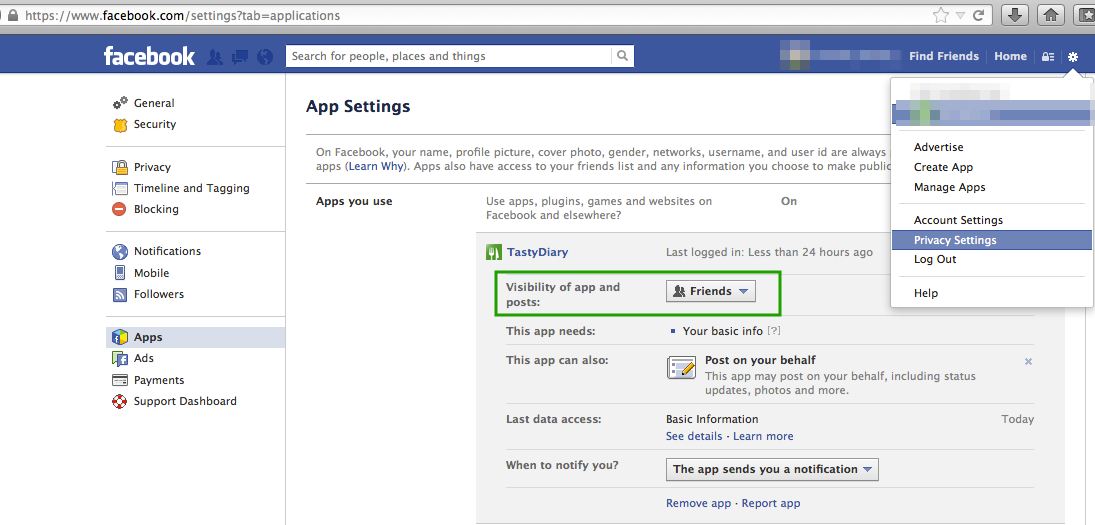
How do I change Facebook sharing permissions?
  1. Log into Facebook in a web browser.
  2. Select "settings" on the top right and select "privacy settings".
  3. Go to "apps" settings.
  4. Edit TastyDiary settings.
I can't add any more dishes, what can I do?
  1. On the launch screen, select "Settings".
  2. Select "Number of Dishes"
  3. Purchase more dishes
How do I quickly add a photo?
  1. Long press the Grid item and you will be asked to take a new photo.
  2. When viewing a restaurant/dish, tap on the area where the photo should be to reveal a menu with the ability to take a new photo or select from your gallery.
  3. Take the picture using the native app, and add the photo at a later time using the "add from gallery" feature.
How do I use less memory space?
Settings > General > Photo Size
It takes a while to share photos, how do I make it faster?
Settings > General Upload size
How do I change the tile image to a different photo?
Select the restaurant or dish > Edit the restaurant or dish > Scroll to the photo you wish to use > Press and hold the image > Select "Set as cover photo" in the popup
How do I delete a photo?
Select the restaurant or dish > Edit the restaurant or dish > Scroll to the photo you wish to delete > Press and hold the image > Select "Delete" in the popup
Can I call a restaurant?
View the restaurant, and click the phone number.

iOS
How do I backup/restore my data to/from my computer?
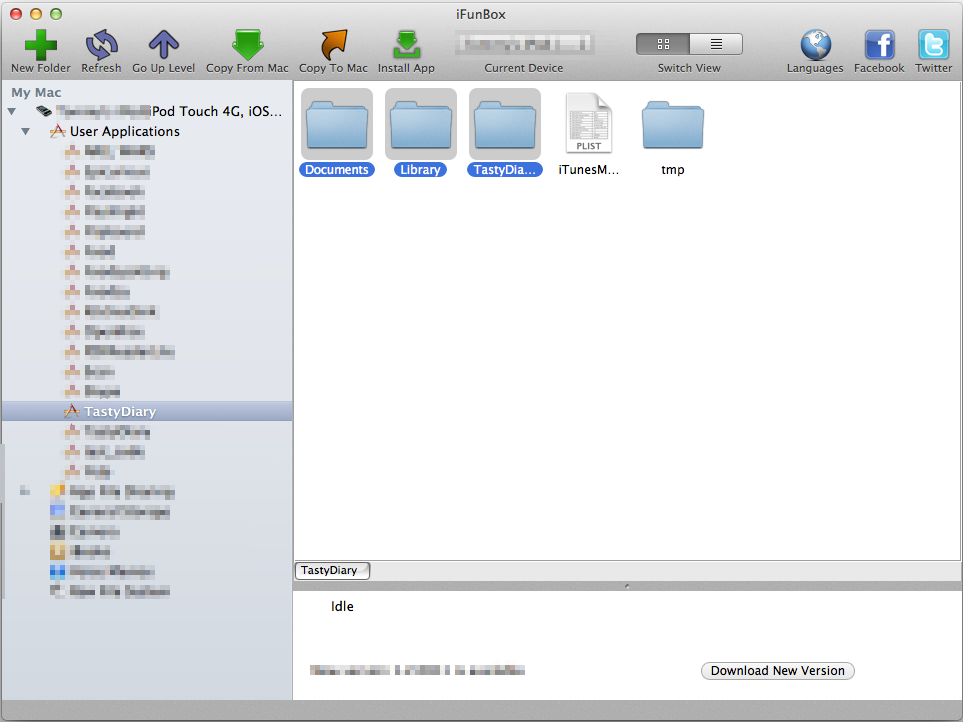
Use a third party program to navigate the filesystem of the device, such as iFunBox
Save the folders highlighted in the image:

To restore your files, simply copy from your PC/MAC and place it in the appropriate directories.
How do I share using native Facebook and Twitter?
iOS 5+ is required for native Twitter sharing.

iOS6+ is required for native Facebook sharing.
  1. Select a restaurant/dish.
  2. Scroll to the photo you wish to share.
  3. Select share in the top bar.
  4. Select "Other".
  5. Choose to share with Facebook/Twitter.

Android
What are the app permissions for?
Storage: Store restaurant/dish information & pictures.
Your location: To help locate the restaurant.
Network Communication: To search for restaurants at your location and access in-app purchases.
Hardware controls: Store restaurant/dish information & pictures.
Your accounts: In-app purchase.
Development tools: Read external storage on Android 4.1+.
How do I backup/restore my data to/from my computer?
You will need a rooted device to gain access to the filesystem where the app stores its data.
Navigate to /data/data/com.digispiral.tastydiaryPROD2
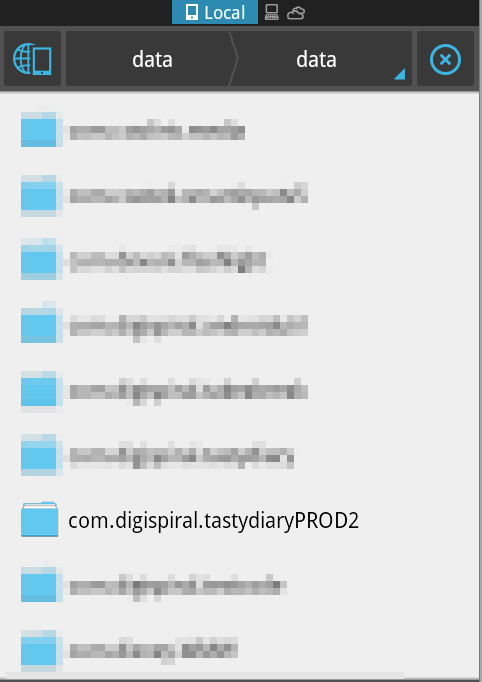
/data/data

Save/replace the directories as see in the image:
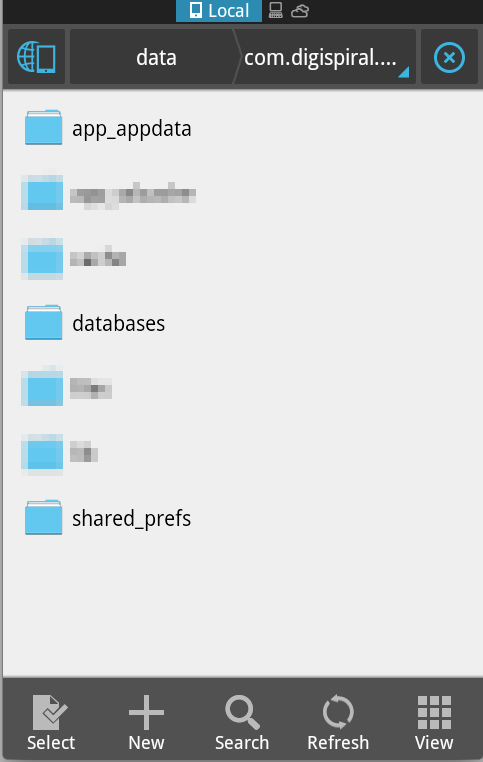
/data/data/com.digispiral.tastydiaryPROD2
How do I share using other apps (WhatsApp..etc)?
  1. Select the share icon for a restaurant/dish.
  2. Select "Other"
  3. Pick the app you wish to share with.
Sometimes the sharing may not work due to an issue with the app being shared with. It does not understand the format which we wish to share. In this case follow these alternate steps:
  1. Tap on the photo when viewing a restaurant/dish.
  2. Select the "expand" icon to view the image in full.
  3. Select a photo/gallery viewer app.
  4. In this app, select its sharing icon and share. Please note, this will only share the photo and not the associated text.